Amazon.com
Overview
Amazon.com gift cards let you shop for millions of products on the world's largest online marketplace. Redeem your Reward XP earnings for Amazon credit and buy everything from electronics to household essentials.
How to Redeem Amazon Gift Cards
- Click Redeem
- Choose Amazon.com
- Choose your Amount, fill in your email address, and click Submit Claim
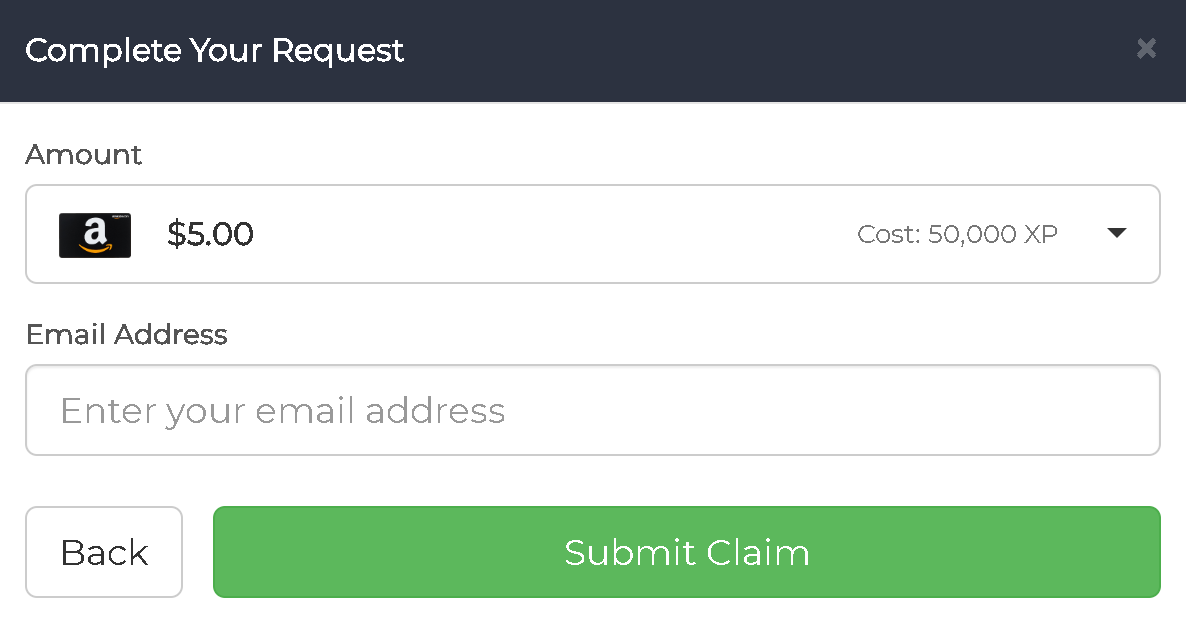
- Your Amazon.com digital gift card code will be sent to your email directly from Amazon.
Regional Availability
Currently available: US Amazon gift cards (Amazon.com)
Note: Global Amazon gift cards (Amazon.co.uk, Amazon.de, Amazon.ca, etc.) may be added in the future.
If you're outside the US, you can still use US Amazon gift cards by:
- Creating a US Amazon account
- Shipping to a US address or using a forwarding service
- Purchasing digital products (eBooks, music, apps) that don't require shipping
What You Can Buy
Amazon gift cards can be used for:
- Electronics - Phones, computers, gaming equipment
- Home & Kitchen - Appliances, furniture, decor
- Books & Media - Physical and Kindle books, movies, music
- Clothing & Fashion - Apparel, shoes, accessories
- Groceries - Through Amazon Fresh and Whole Foods (select areas)
- Digital Content - Apps, games, Kindle books, Prime Video rentals
- Amazon Services - Prime membership, Audible credits
Available Amounts
Amazon gift cards are available in various denominations. Check the Redeem section for current availability.
Processing Time
- Amazon codes are typically delivered within 2 hours
- Codes come directly from Amazon to your email
- Check your email (including spam folder) for your code
- See our Payment Schedule for full processing details
How to Use Your Code
On Amazon Website
- Go to amazon.com/gc/redeem
- Sign in to your Amazon account
- Enter the claim code
- Click Apply to your balance
On Amazon App
- Open the Amazon app
- Go to Account → Gift Cards
- Tap Redeem a Gift Card
- Enter your code
Important Notes
- Amazon.com codes only work on the US Amazon site
- Codes cannot be returned once delivered
- Gift card balance does not expire
- You can combine multiple gift cards on one account
- Keep your code secure - treat it like cash
Troubleshooting
Code not working?
- Verify you entered the code correctly (check for similar characters like 0/O, 1/I)
- Make sure you're redeeming on Amazon.com (US site)
- Check that the code hasn't already been redeemed
Haven't received your code?
- Check your spam/junk folder
- Look for an email from Amazon (not Reward XP)
- Wait the full processing time (up to 2 hours)
- Contact support on Discord if still missing
Can I use this on Amazon Prime?
Yes! Amazon gift card balance can be used to pay for Prime membership.
Related Articles
- Payment Schedule - When rewards are processed
- Can I Cancel a Payment Request? - Cancellation options
- How Much is XP Worth? - XP to USD conversion